ClipboxAI
Your clipboard, upgraded with AI
A smart clipboard manager for macOS. Summarize, translate, transform, and automate anything you copy — with built-in local tools and optional cloud AI.

Key Features
Everything you need to make your clipboard work harder on macOS

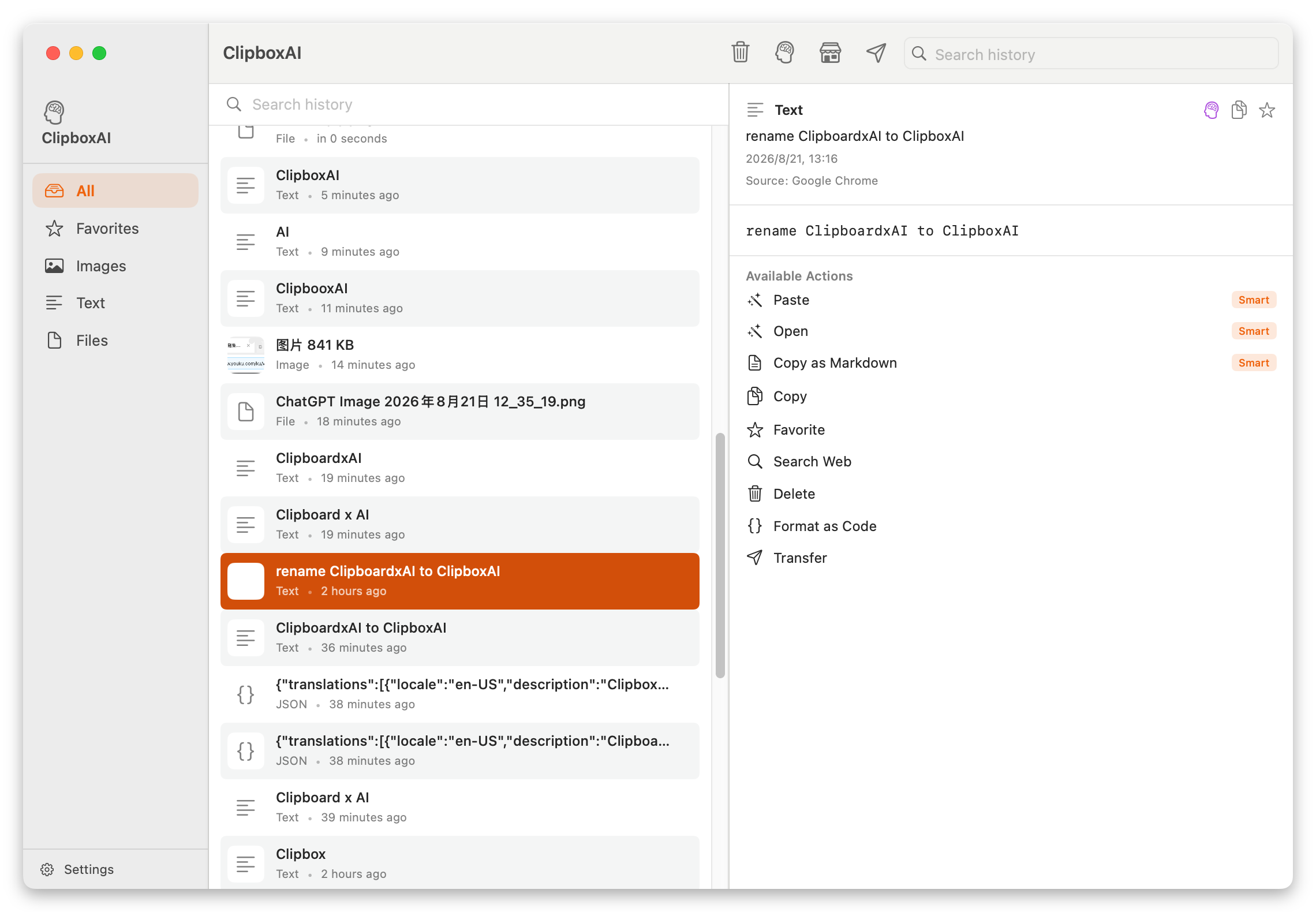
Clipboard History
Everything you copy is captured and searchable. Jump back to any item in your history from the menu bar.
Learn more
Instant Actions
Run a tool on the current clip with one click — or let it run automatically the moment you copy.
Learn more
Built-in Local Tools
Extract links, count words, collapse blank lines and more — all run offline on your Mac, no network needed.
Explore tools
AI Actions
Summarize, translate, and rewrite with cloud AI. Bring your own key for DeepSeek, MiniMax, GLM, Kimi, Mistral or Ollama.
Set up AI
Private by Design
Your history stays on your device. Cloud AI is opt-in and uses your own API key from the Keychain — nothing is uploaded to us.
Read privacy
Action Marketplace
Install community-made AI actions in one click. Browse Writing, Developer, Productivity, Translate, Social and Analytics packs.
Browse marketplaceAction Categories
Browse ready-made AI actions in the marketplace
How It Works
Simple and intuitive, just like macOS should be
Install & Launch
Download from the Mac App Store, then launch from the menu bar. Grant the permissions it needs.
Copy Anything
Your clipboard history is captured automatically. Open the menu bar to browse and search past clips.
Run an Action
Pick a built-in tool or AI action — or flip on auto-run to transform every copy the instant you make it.
Frequently Asked Questions
Quick answers for macOS users
Is ClipboxAI free?
Which macOS versions are supported?
Does it work offline?
Is my clipboard data private?
Which AI providers are supported?
Ready to Make Your Clipboard Smarter?
Download ClipboxAI and turn every copy into an action — private on your Mac, powered by AI when you want it.